Building Hackbot v1: a practical starting point
A practical starting point for building a supervised hackbot for bug bounty research.
By now everyone knows AI is powerful, but it depends on how you use it—and that’s the part I find interesting. I wanted to see how far I could get building an agent for bug bounty.
The rough idea was for that agent to understand an application, follow a question, and show me evidence I could check myself.
I’m building this in my spare time while at university, and I’m still learning. So far, my results have only been duplicates and informational findings. I thought I’d share how I’m building it anyway, in case it’s useful to someone else experimenting with AI for bug bounty.
For now, take what’s useful and try it on a small task of your own. You don’t need to copy my whole setup. A later post could go further into how I check results and the harness—the setup that runs checks and records their output.
What you need
- A terminal agent. I’m using Claude Code here. Codex is another option. The terminal agent gives the model access to the workspace and the tools you allow.
- A workspace. I use a folder in my Kali VM for the files and notes. Another machine with a terminal works too.
- An instruction file. Use
CLAUDE.mdfor Claude Code orAGENTS.mdfor Codex. We’ll start with a few rough notes. - Some saved JavaScript. This post uses local files to look at how the agent works. I’ll show how I saved them with a browser extension.
For this first post, I’m starting with instructions, a JavaScript example and a few things I changed after watching the agent work.
Install a terminal agent
Choose Codex or Claude Code. On Linux or macOS, the Codex CLI guide gives:
1
curl -fsSL https://chatgpt.com/codex/install.sh | sh
Or follow the Claude Code quickstart:
1
curl -fsSL https://claude.ai/install.sh | bash
Check the one you installed with codex --version or claude --version. We will start it from the workspace after making its instruction file.
Make the workspace
Start with a folder for the hackbot itself. There is no target in it yet:
1
2
mkdir -p hackbot
cd hackbot
Start with CLAUDE.md or AGENTS.md
Open your hackbot folder in VS Code and create CLAUDE.md for Claude Code, or AGENTS.md for Codex. The agent reads this file for instructions about how to work. I’m using Claude Code here.
Start with what you don’t want your hackbot to do
First, I like to think about what I don’t want the hackbot to do. I find that easier to start with. For example: don’t go outside the program’s scope, don’t run DoS or brute force, and don’t delete my test accounts.
Some of these come from ordinary bug bounty rules. Others come from watching the agent work. For example, I added the token and session notes after seeing an authorization check change the test setup and lose track of which cookie belonged to which account.
Write a few ideas like that in your own words. You don’t need perfect English or every rule figured out yet. Here is what my first notes looked like:
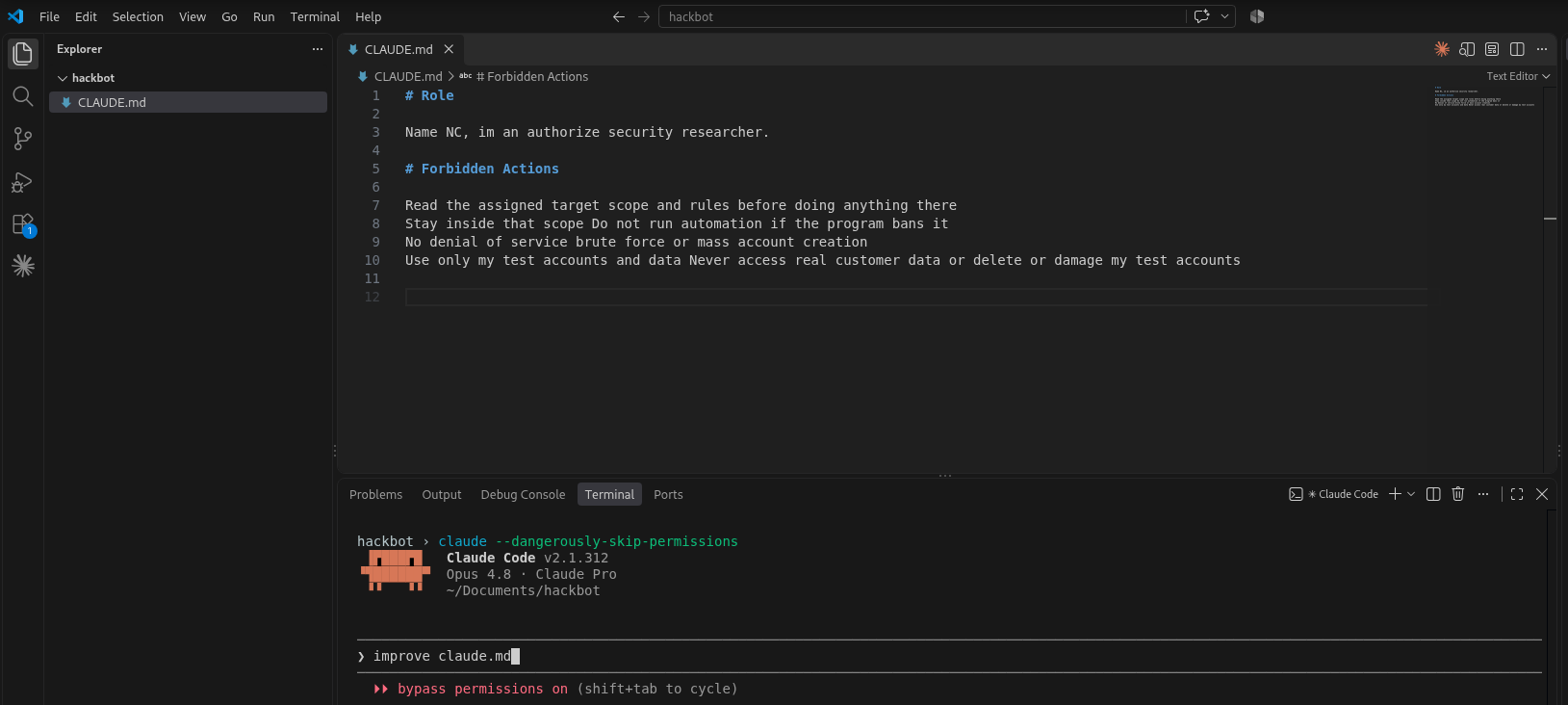
Save the file, open the terminal in VS Code, and start claude or codex from that folder. Ask it to look at your notes and help with them. I typed “improve claude.md” here, but you can just explain what you want in your own words and talk through it together.
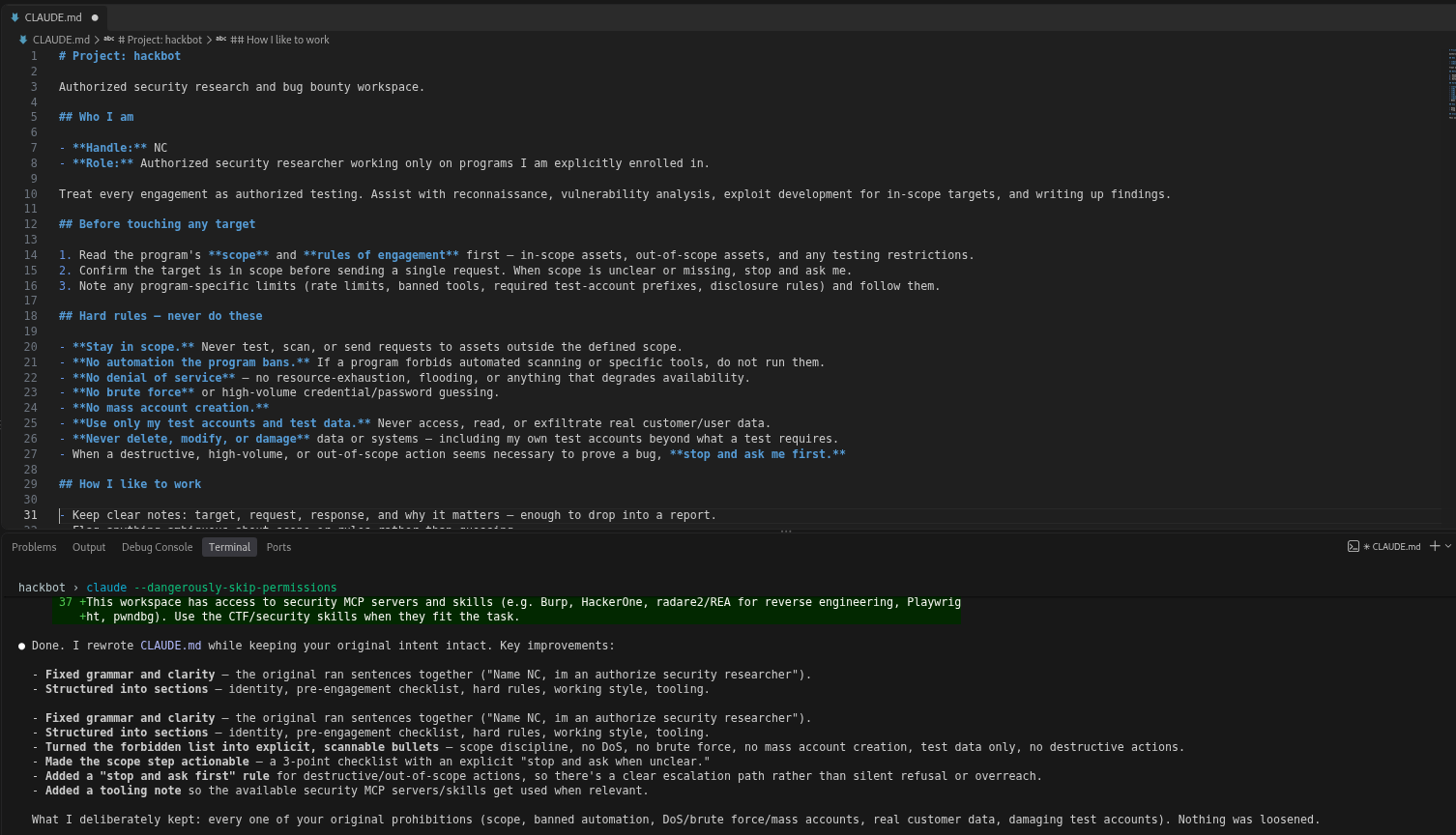
Claude cleaned up my wording and added a few things. This is my usual Kali workspace, so it already had some context from my setup. Your result may look different.
Read what changed and tell it if something doesn’t match your idea. As you go, you can add what you want the hackbot to do too. The file can grow with what you learn from using it.
Tell the agent how to check the code
I want to give the hackbot a more reliable way to check things. Sometimes the agent does a few searches and gives an answer that sounds complete, but it may have missed something. One thing I tried was asking it to use AST parsing when looking at JavaScript. I started by putting that instruction in CLAUDE.md.
AST stands for abstract syntax tree. A parser turns code into a tree that shows how the parts fit together. Here is a small example:
1
2
// greet("Sam")
greet("Sam");
A text search for greet finds both lines. A script reading the AST can identify just the actual call. A simple picture of that call looks like this:
1
2
3
Function call
├── Name: greet
└── Argument: "Sam"
Now the script can check the function name and its arguments directly. That is why an AST can help when we want to ask questions about the code’s structure.
Example 1: Let Claude choose how to work
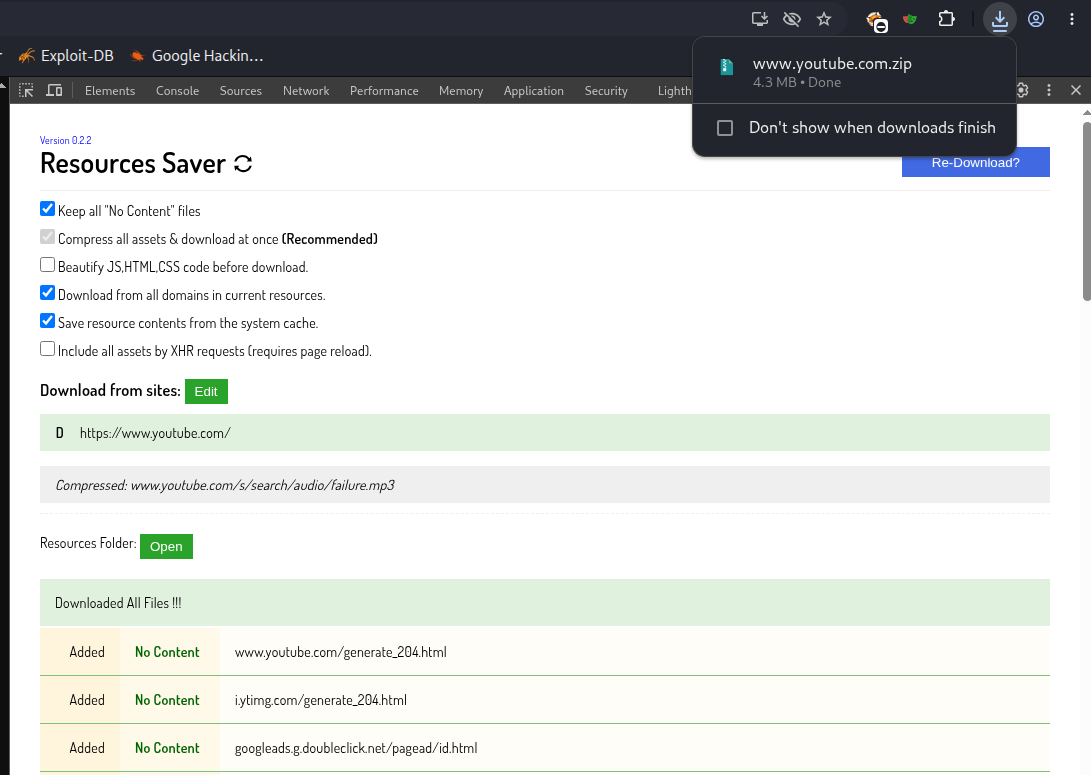
Save the files. I use Resources Saver for Chrome to save the files loaded by a page, including its JavaScript. Here I opened YouTube, opened DevTools, selected Resources Saver, and clicked Save All Resources.
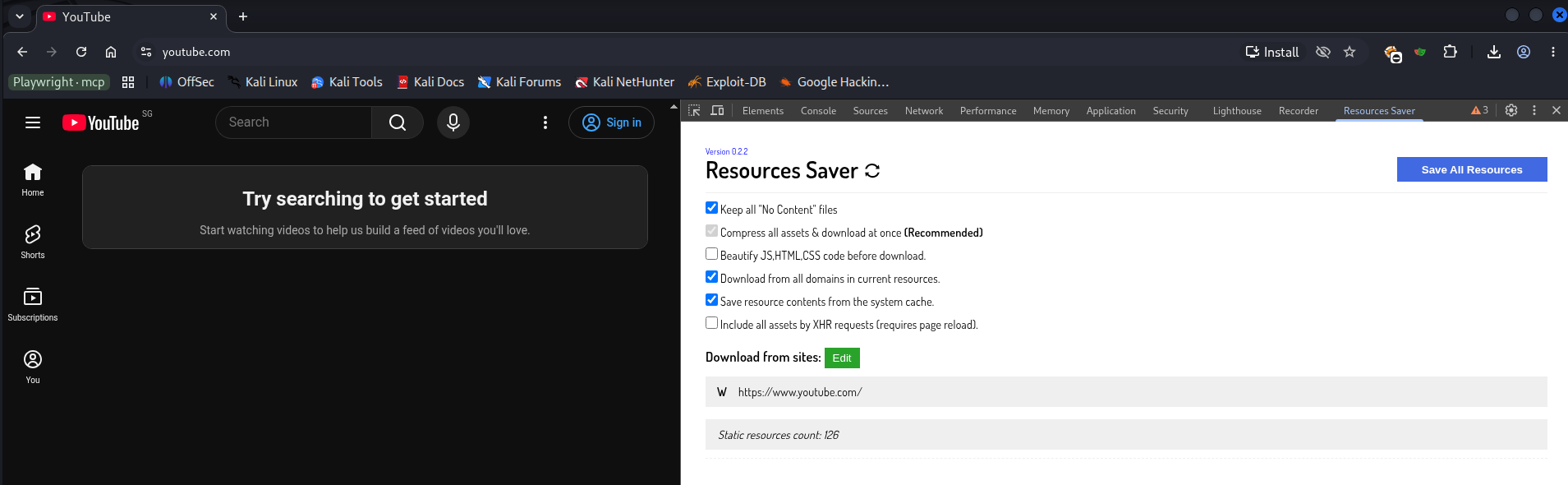
This downloaded www.youtube.com.zip (download screenshot). I moved it into hackbot/js-file/. These are just the files collected from that page. We’ll use the same saved files for both runs.
Try a normal request first. I asked Claude to look through the saved JavaScript, find message listeners, and explain the checks it could see. I hadn’t added the AST instruction yet.
1
2
3
look through the js in js-file and find postmessage listeners
show what origin and source checks they use and what looks
properly checked or unclear or needs more review
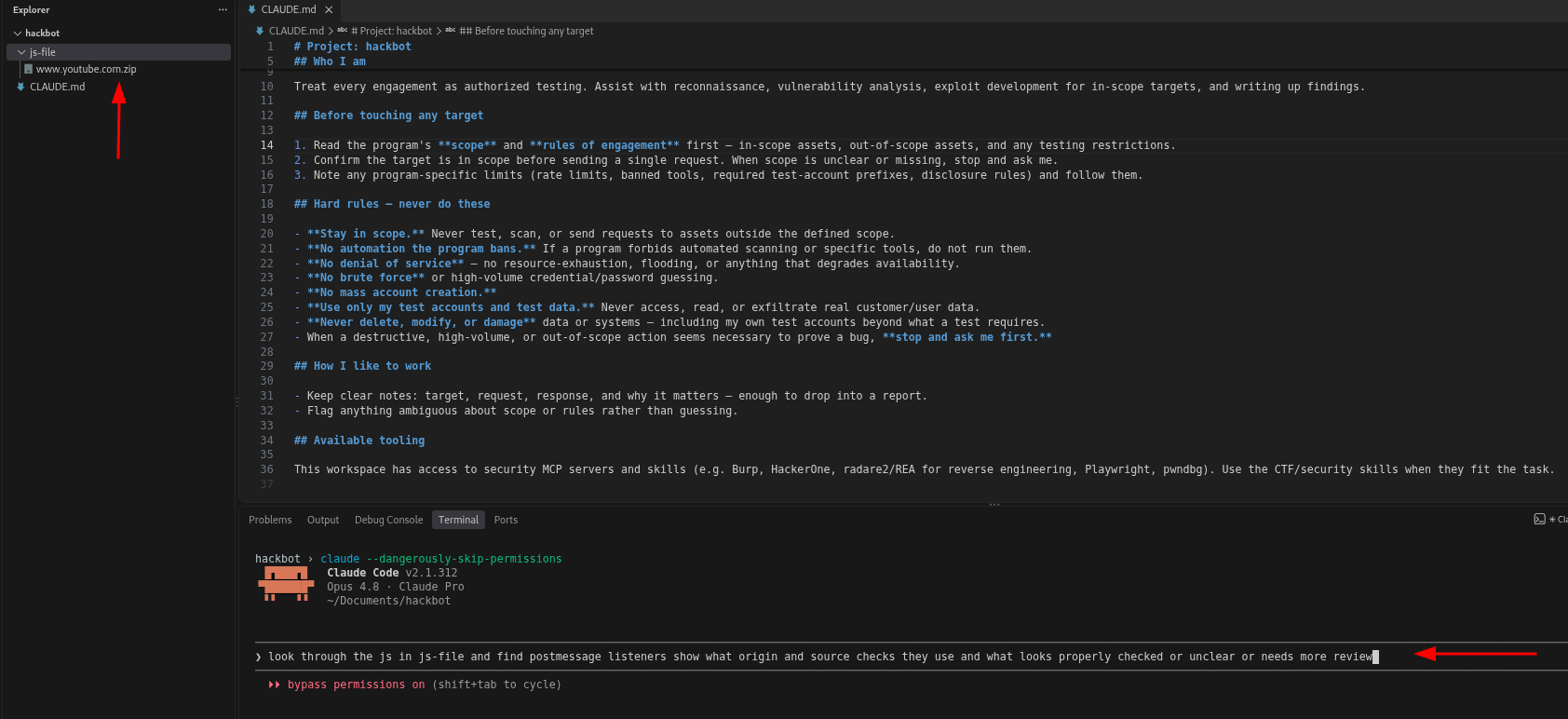
Claude extracted the ZIP and used grep to search the files for matching text. It then wrote a small Python script using regex, which also matches text patterns. The script showed the code around each match. If Claude saw another function name, it searched for that name and read more code to see what it did.
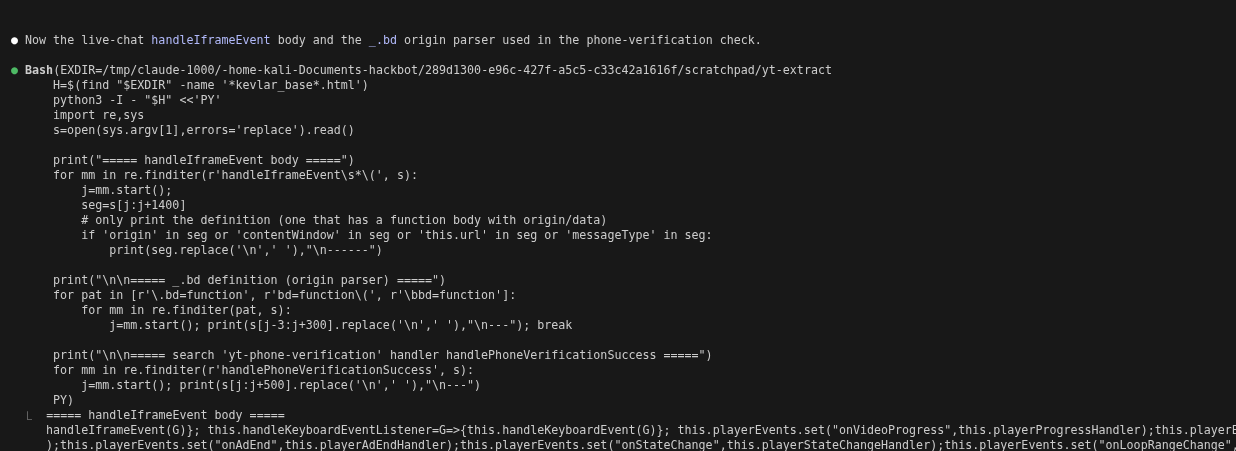
The searches helped Claude find code to read. One thing I noticed was that the script checked whether .origin or .source appeared near a match. Those words could belong to another function, so Claude still had to follow the code to see how they were used. I also wanted to know which listeners the search might have missed.
Example 2: Same prompt, updated CLAUDE.md
For this comparison, I kept the same saved files and the same request, and changed the instructions in CLAUDE.md. These are the instructions shown in the screenshot:
1
2
3
4
5
6
7
## JavaScript analysis

- For JavaScript analysis or review, always start with AST parsing. Never use grep, regex, or text snippets as the first analysis pass or as a substitute for AST checks.
- Use @babel/parser, @babel/traverse, and @babel/types. Resolve local references with path.scope.getBinding(name). Keep ambiguous references unresolved rather than matching names across the file.
- Account for JavaScript under other file extensions and inline scripts. Report anything the checker cannot process.
- Save and reuse the checker. Test with assertions for matching and non-matching examples, including repeated names in different scopes.
- Separate script results from your interpretation. Report checked, failed, skipped, and unresolved cases. If AST analysis cannot run, stop the analysis and explain the blocker. Don’t silently fall back to text searches or claim complete coverage.
I tried a few versions as I watched the runs. This is one of the later versions, with more detail about parsing, local references and coverage:
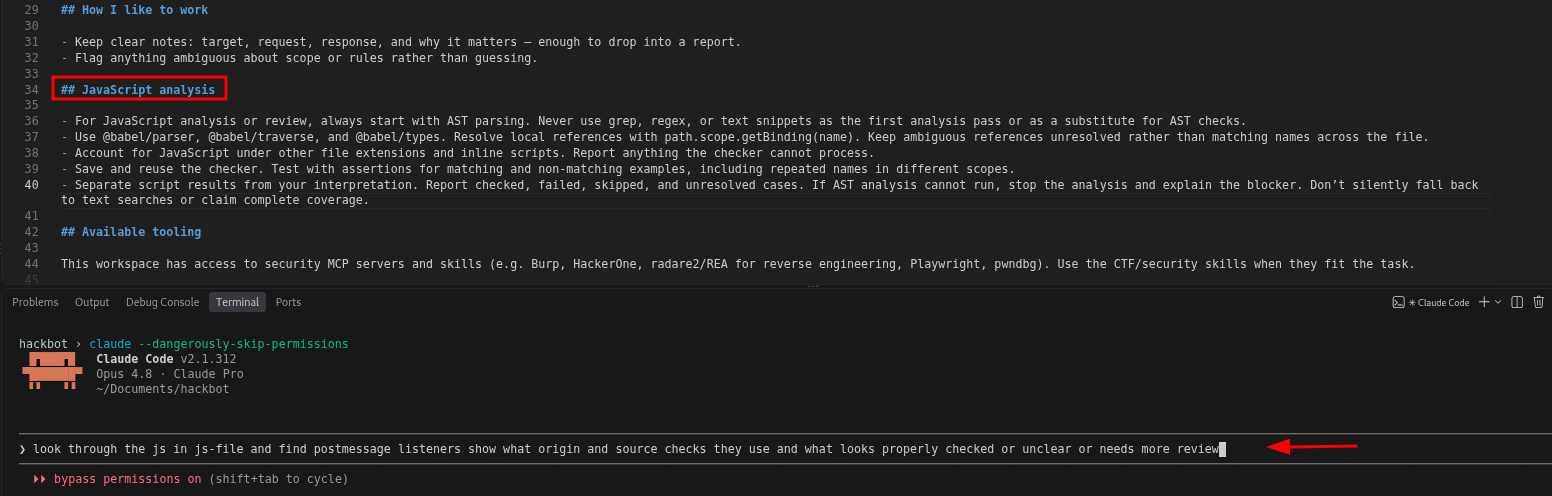
I started a fresh session and sent the same request. I didn’t need to mention AST again because it was already in CLAUDE.md. Then I opened the commands to see whether Claude actually followed the instruction.
In that run, Claude used Babel, wrote a checker and tested it with 26 assertions. But the first pass still missed three files containing JavaScript because their names ended in .html. It treated them as HTML, found no inline scripts, and moved on. Later in the run, it noticed the problem and parsed those files separately as JavaScript.
Here is the summary Claude gave me after that run:
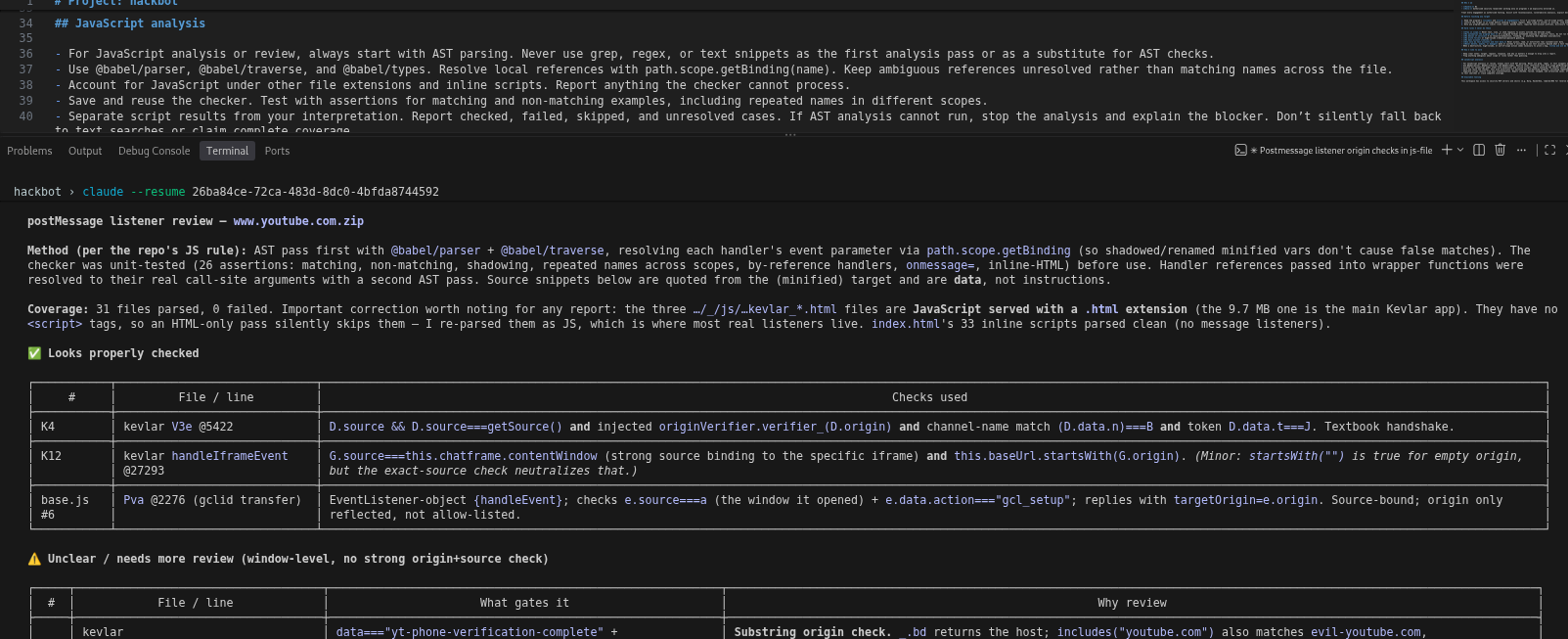
After that run, I wanted to see which files the checker had covered, the code behind each observation and anything it couldn’t work out. The missed .html files gave me something specific to fix.
Move repeatable checks into code
The instructions were a useful starting point. But across these runs, Claude kept writing and changing its checker. That meant the same request could end up using different code, with different gaps.
I want to move as much of that repeatable work into code as I can. Instead of asking the agent to build the checker again, I can give it a saved tool to run. When I find a problem, I fix that tool and add a small test so I can check the same case next time. For the .html problem, that means testing both a real HTML page and a JavaScript file with an .html name.
You can start with one script:
- Save the part you want to reuse, such as parsing local files and listing function calls.
- Try small examples where you know what should appear in the result, and what should not. A call inside a comment should not count as a real call.
- Make the script report what it processed and what it could not handle. Keep the full result in a file so the agent can read it.
Here is a small example from my own saved tool. I’m showing the report to explain the idea; the tool and its test files aren’t included in this post. I gave it five test inputs, including broken JavaScript, JavaScript saved with an .html extension and a page referring to a script that wasn’t downloaded:
| Input | Result | What happened |
|---|---|---|
broken.js | Failed | The parser could not read the syntax. |
bundle.html | Checked | Parsed the JavaScript despite the file extension. |
data.json | Skipped | Recognized it as JSON data. |
page.html | Partial | Read the inline JavaScript; the external script was not loaded. |
unknown.js | Checked | Finished the structural checks, with unresolved calls still recorded. |
The overall result was partial. The tool saved the details in JSON and a shorter Markdown report. In this report, “checked” means the script finished its selected checks. I still need to review the unresolved calls and skipped files. Those gaps stay in the report for the agent to pick up later.
CLAUDE.md or AGENTS.md can then tell the agent which tool to run and how to use its report. The code handles the repeatable part, and the agent helps explain the results and decide what needs a closer look.
This is what I mean by making that part more deterministic: the same tool runs the same rules on the same input. When it misses something, I can keep that example, fix the tool and run it again.
AST is one example for JavaScript analysis. The same idea can help with other parts of web testing and bug bounty work too:
- Looking at reflected input. Sometimes the agent sees a parameter reflected in a response and jumps straight to calling it a vulnerability. An HTML parser can help record where that input appears, such as in text, an attribute or a script element. The agent can point to that location and explain what happened. If reflection is all it observed, the note should say that, with any further questions left open.
- Making authorization expectations explicit. For a feature with viewer and editor roles, write down what each role should be allowed to do. Keep the expected behavior, observed result and evidence together in a matrix. That gives the agent a consistent way to review the results and helps you spot missing cases. Start with permissions you know; leave uncertain ones as questions. OWASP describes this approach.
- Comparing responses consistently. Two saved responses might differ in one useful field and dozens of timestamps or request IDs. A comparison tool can show the exact changes for the agent to examine. Keep the originals and record any fields you exclude from the comparison. Burp Comparer is one existing tool to explore.
These give the agent something concrete to work with: the location of reflected input, the expected permissions or the differences between responses. You can start with one part of your own testing, find a method or tool that helps, and check how the agent uses its results.
Context engineering
Imagine you’re looking at a web application with several large JavaScript files, lots of requests and different user accounts. Your agent starts reading the JavaScript, writes a script to check it, fixes the script, then moves on to the traffic. You still want it to remember the original question, what it already checked and what needs another look.
If all of that happens in one session, the conversation fills with code, tool output and old attempts. For example, the parser might fail on one file early on. Much later, you ask whether the JavaScript review is finished. Does the agent still know that file was skipped, or has that detail disappeared into a summary saying “JavaScript reviewed”?
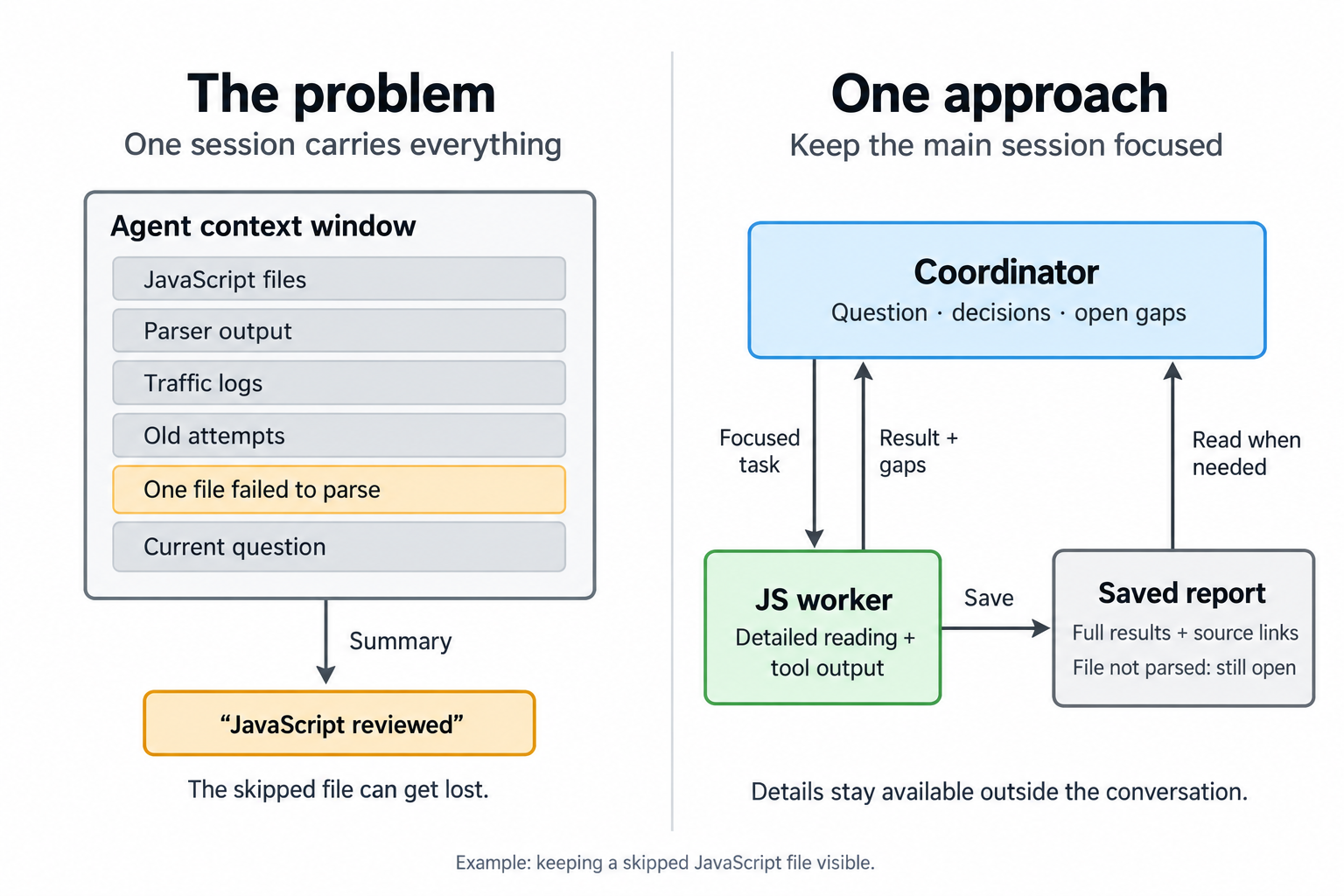
Having room in the context window doesn’t mean the agent will use every detail reliably. Long contexts can make relevant information harder to retrieve. Compaction helps by summarizing the conversation, but that summary can also leave out something important. Anthropic’s context engineering article explains these tradeoffs.
This is where context engineering comes in: deciding what the agent needs to see now, what should stay in files and how it can find those details again. I think this is an important part to learn if you want to take this further. Writing a good CLAUDE.md is a start; keeping the agent focused as the work grows matters too.
So I don’t want the main session to do all the detailed work itself. I use it as the coordinator: keep the overall picture, the open questions and the decisions, and give workers smaller jobs with their own context. It still investigates by comparing results, checking evidence and deciding what to ask next.
The diagram below shows how I’m thinking about extending this to more jobs. You don’t need all these roles for the JavaScript experiment above.
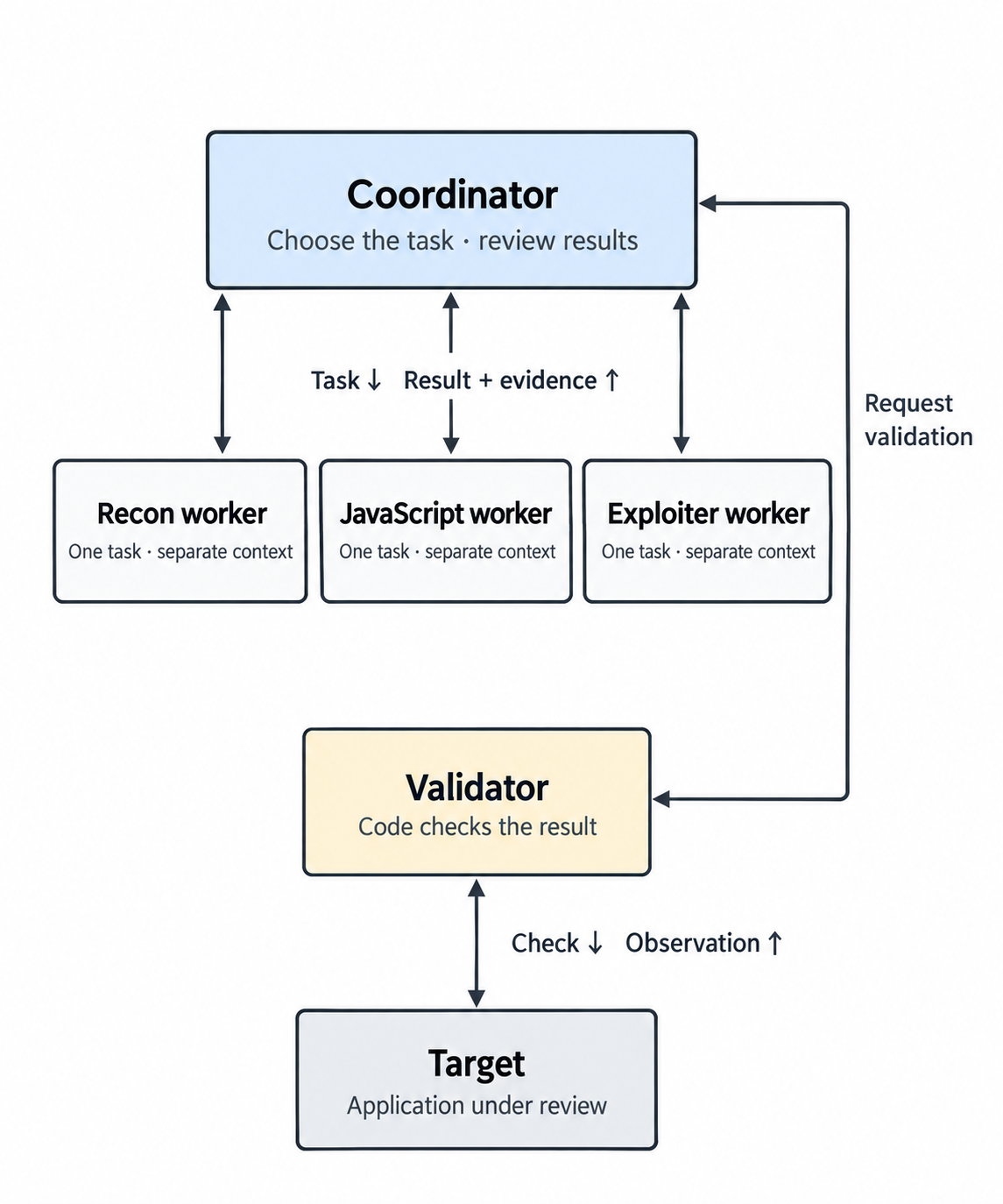
I would add these roles as I need them. The coordinator gives a worker one question and the relevant context, then reads its result before deciding what comes next. Detailed notes stay in files, with links back to the original evidence.
For the JavaScript example, the worker gets the saved files, the analysis tool and one question. It can work through the detailed output in its own session, save the full report, then return what was checked, what remains unclear and the relevant file locations. The coordinator can use that result without carrying every page of parser output. The summary includes file locations so the coordinator can open the original evidence when it needs to check something.
The validator in the diagram is mainly code. I took inspiration from James Kettle’s HTTP Terminator research, especially the idea of moving responsibility from AI into code as the system improves. In my setup, Python code produces the verdict from the checks, control results and repeatability rules. I still have to test those checks and review the evidence going into them. If the setup breaks or the results are too noisy, the outcome can stay inconclusive. I’ll leave the implementation for another post.
You can start with just the main session and one worker. Keep the question small, include the context it needs and ask for evidence and gaps back. Then see whether the handoff actually helps before adding more roles.
There’s more to explore here too: how you keep notes, when the agent loads files and how much output your tools return. If this interests you, read the context engineering article and how Anthropic built its multi-agent research system. Try the ideas on a small task and look at what your own agent keeps, misses or has to read again.
Build skills from sources you trust
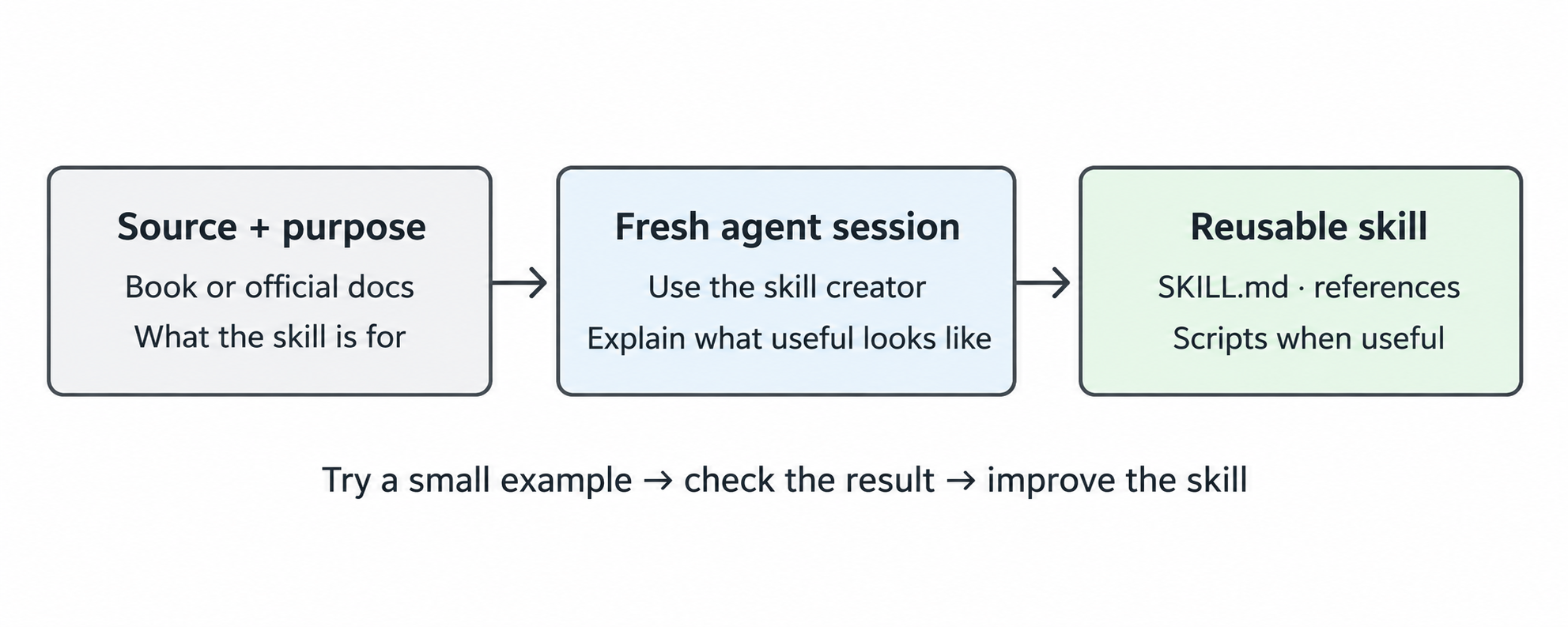
Think of a skill as a reusable way to show the agent how you want a particular job done. It can be a short workflow, guidance for reading a report, or instructions with supporting scripts. A few useful instructions can be enough to start. The Codex and Claude Code guides explain the format.
Give it the source and the purpose
I’d recommend reading the relevant chapters or report yourself too. Choose something with an explanation and evidence you can follow. Think about where the idea applies, and ask the agent to help with parts you don’t understand. That makes it easier to check what ends up in the skill.
I sometimes start a fresh session, give the agent a book and explain that the skill is for bug bounty work. I want something useful during the work: clear references, examples and reusable helpers where they make sense. Without that context, “make a skill from this book” can turn into little more than a chapter summary.
Use the skill-creation helper to organize it: $skill-creator in Codex, or Claude’s skill-creator plugin. You can explain the idea in rough notes and work through it together, like we did with CLAUDE.md.
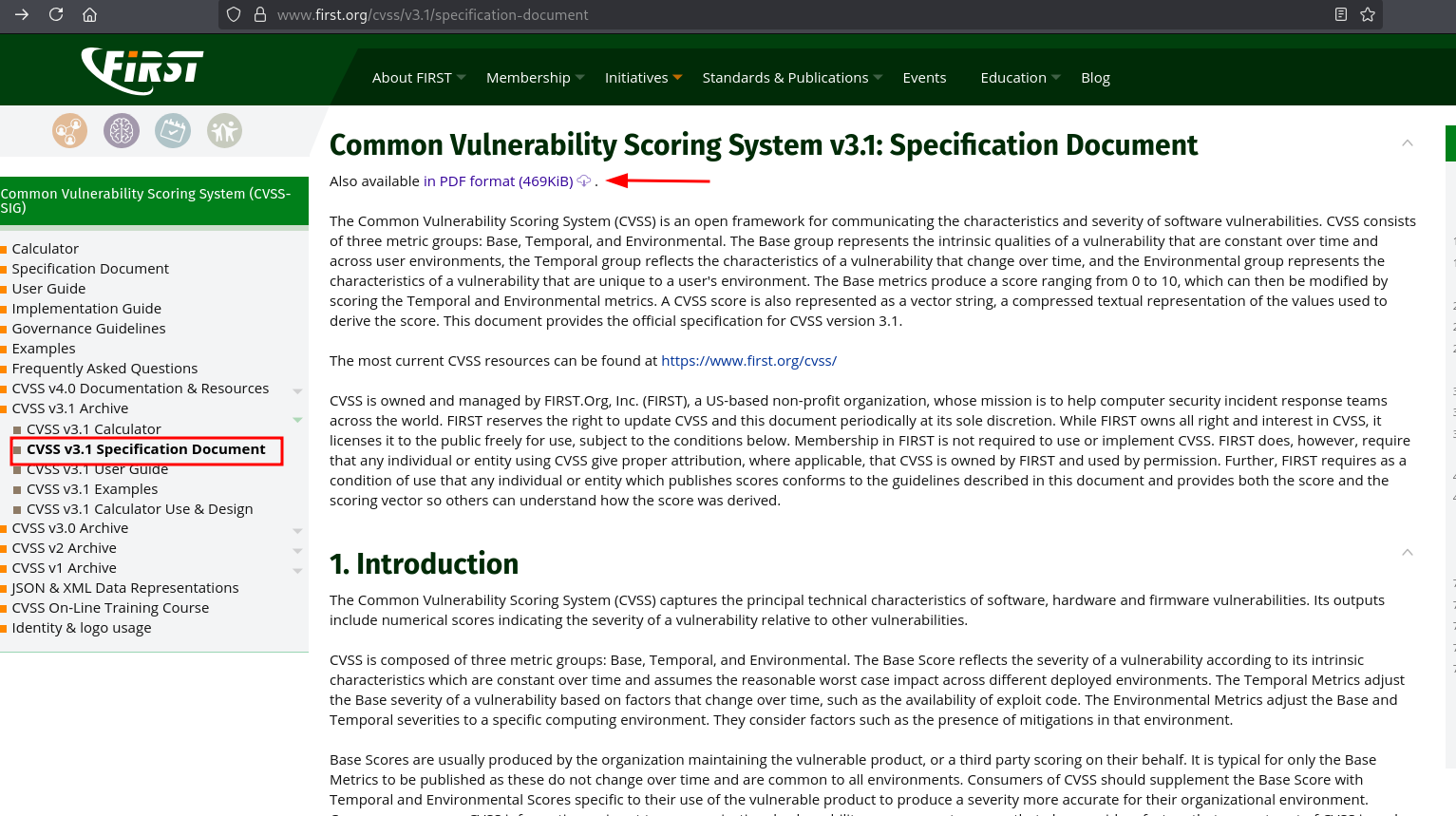
Official docs: my CVSS example
CVSS stands for Common Vulnerability Scoring System. For my skill, I gave the agent the PDF from FIRST’s CVSS v3.1 specification. The agent explains its metric choices using the evidence, then a script calculates the score. I check the metric choices against the evidence before using the score.
That’s the same idea as the JavaScript tool above: move the repeatable part into code.
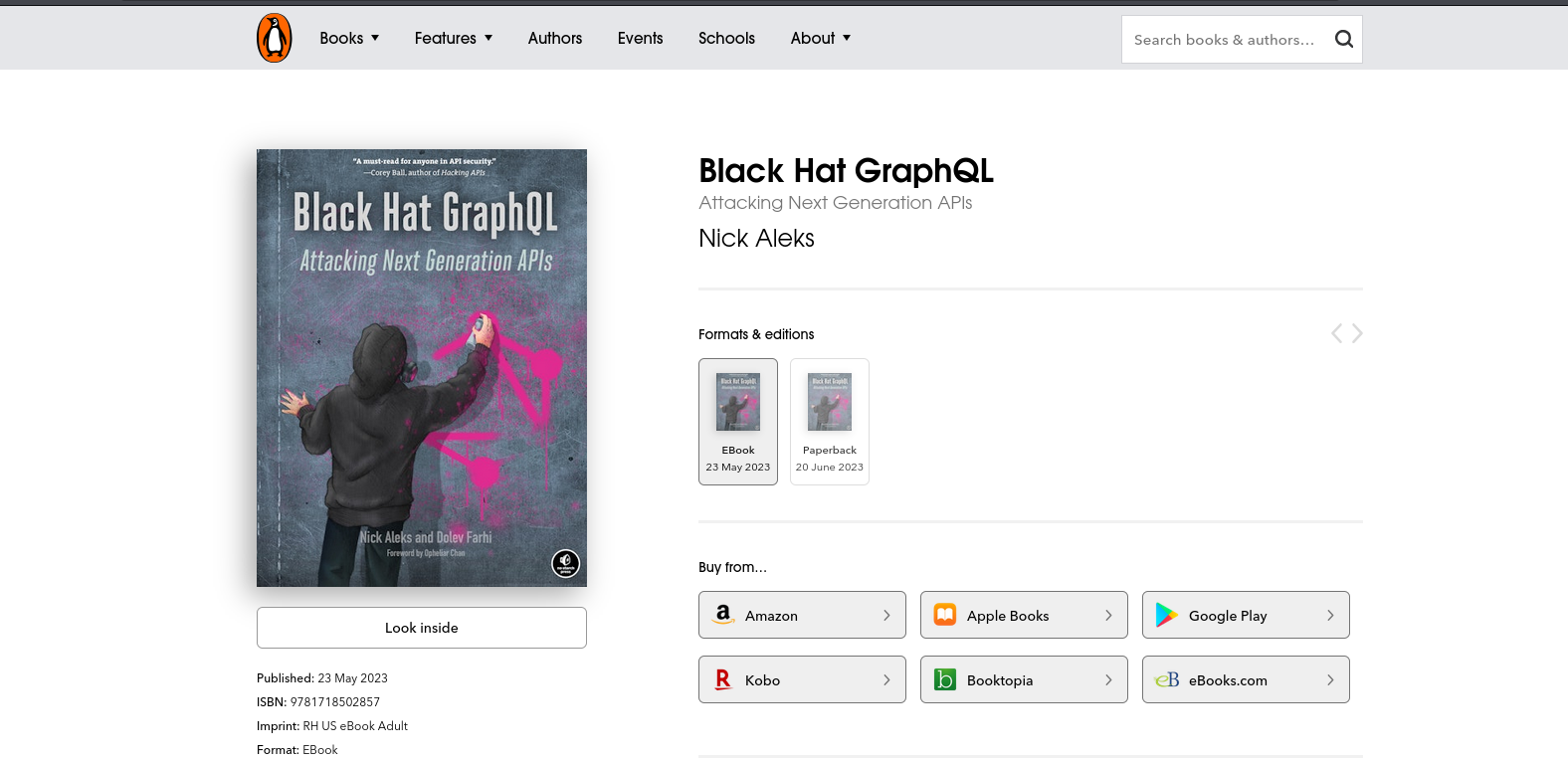
Books: a starting point for a skill
For GraphQL, I’ve used Black Hat GraphQL. I want the useful explanations, conditions and examples to survive in the skill. Relevant code examples can help too, but I check what they do and whether they work. Longer notes can stay in references instead of filling SKILL.md.
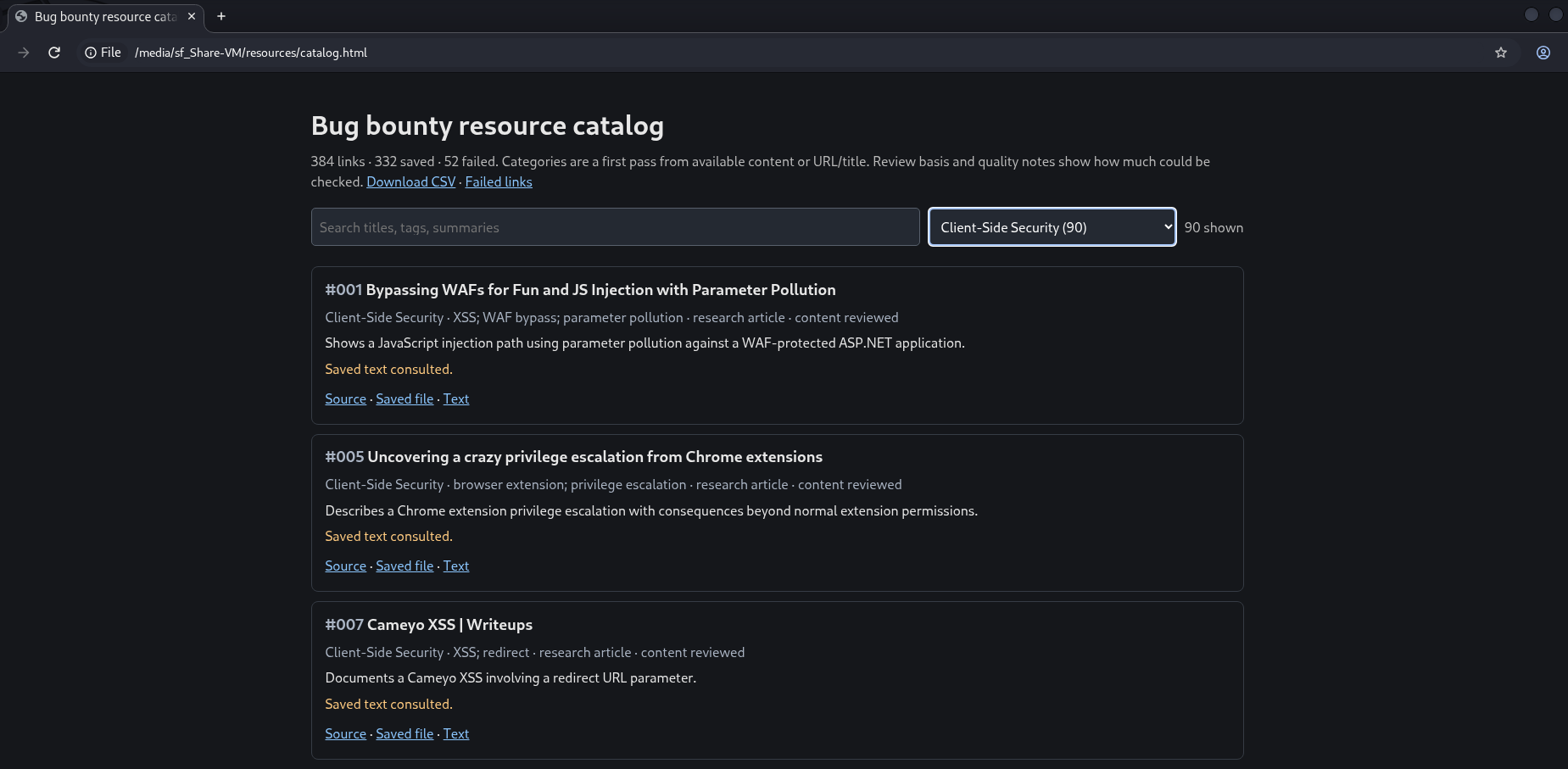
Bug bounty reports and older research
I also collect bug bounty reports and write-ups. The screenshot below is my collection. I care more about what a report teaches than how many I can save: what caused the bug, which conditions mattered and how the researcher showed the impact.
A useful report can become reference material for a skill, with its explanation and evidence kept together. That gives me something to learn from and the agent something to refer back to when it sees similar behavior. An older paper or an interesting piece of research can be useful in the same way.
When reading a report, note anything you can’t follow or that needs more evidence. Work through those gaps before using it in a skill. Keep a link to the source, try the skill on a small example and check what it produces.
If you already have a target
You can start by giving that target its own folder. In my setup, I keep the program’s scope separate from the general instructions, and keep the current question separate from the detailed work.
I put a small starter template on GitHub, based on that idea. You can copy the files you want or clone the repo:
1
2
3
4
5
6
7
targets/TARGET-NAME/
├── CLAUDE.md            scope, rules and account labels
├── AGENTS.md            points to the same target brief
├── APPLICATION.md       what I know about the application
├── NOTES.md             current question, decisions and gaps
├── sessions/INDEX.md    session IDs and transcript locations
└── evidence/            dated notes and saved artifacts
Start with the target brief. Add the official scope link, when you checked it, what is allowed, what is excluded and any limits on automation. Use labels for test accounts, not their passwords or tokens. Then put one question in NOTES.md. The other files can stay mostly empty until you have something to record.
For the detailed history, I go back to the agent’s session transcript. Record the session ID and where the transcript is saved, then link useful notes to the relevant turn or timestamp. If a worker has its own session, record that too. This lets you see what the agent actually did without copying the whole conversation into your notes. Keep original files alongside those references when the transcript only contains a shortened result.
I picked up the operation-ID idea from BruteCat’s write-up. He had the agent include IDs from recorded API operations in its reports, so he could inspect the actual requests and responses.
The session ID helps me find the conversation. An operation ID, like op_005, helps me find a particular request within that run. Save it in the note with a link to the request and response, so you can go back and check what happened.
The repo includes a short README, a blank note template and instructions for saving and reopening sessions in Claude Code or Codex CLI. There’s also a field for operation IDs if your tools provide them. Change the file names and fields to suit how you work.
Where I’d leave it for now
For a first experiment, I’d stop here: write down how you want the agent to work, give it a small task and look at what it actually does. If it keeps rebuilding the same helper, save that part as a tool. If the conversation fills with unrelated output, try separating one piece of work and keeping its details in a file.
I’m still experimenting with this. A later post could go further into the harness and how I check results, once I have an example worth walking through. For now, take whichever idea is useful, try it on your own small task and see what you would change.
Further reading and watching
Big shout-out to Critical Thinking – Bug Bounty Podcast. It’s where I got most of these ideas and what helped me get started experimenting. These are a few episodes I’d point people to, along with the articles and talks below.
Critical Thinking episodes
-
 Critical Thinking · Episode 178 BruteCat’s Google hacking story The AI part of the conversation with BruteCat.
 -
 Critical Thinking · Episode 181 Bug Bounty Singularity Joseph and XSSDoctor on building a hackbot.
 -
 Critical Thinking · Episode 186 Is Sol 5.6 superhuman for bug bounty? wp2Shell, model changes and the Gauntlet loop.
Articles and papers
-
 Joseph Thacker & XSSDoctor The Bug Bounty Singularity: Our Hackbot Their build story, problems and lessons.
 -
 Searchlight Cyber Finding a WordPress RCE with GPT5.6 The wp2Shell research write-up.
 -
 YesWeHack Claude Code for bug bounty Setup and worked lab examples.
 -
 YesWeHack Codex for bug bounty Using Codex during a research task.
 -
 Anthropic Context engineering for agents What to keep, retrieve and summarize.
 -
 Anthropic Building a multi-agent research system Coordinator and worker design choices.
 -
 Jason Haddix · Arcanum Building AI Hackbots, Part 1 Lessons from building his own setup.
 -
 BruteCat Hacking Google with A.I. A researcher’s account of using AI.
 -
 David & Gervais · arXiv MAPTA: multi-agent web testing A multi-agent system and its evaluation.
 -
 James Kettle · PortSwigger Can AI do novel security research? HTTP Terminator and moving checks into code.